Connect your AI
Your AI drafts the cookie banner. You review and publish.
This work is licensed under CC BY-SA 4.0
AI can make mistakes. You are always in charge, so check what it says and does before you publish.
Depending on the AI model, the task at hand and the information the model draws upon, the results may vary in terms of reliability. To help you better assess the capabilities and limitations of your AI tool, here is a very brief overview of the four steps where your AI tool can assist you:
- Identify your technologies: Your AI tool can help you identify which technologies are actually running on your website and which collect and process personal data from your website visitors. It can also help you analyse and interpret the results of website scanners, including identifying the potential purposes of the detected technologies. As AI models operate non-deterministically and may produce different results each time, you should, where possible, also use a deterministic scanner (see Identify Your Technologies).
- Set up your banner: Your AI tool supports you in configuring your Consenter cookie banners and entering all the necessary information, using the prompts we've provided for this purpose and the information set out in the Consenter documentation (see Configure Your Banner). If the information is not available in our Consenter documentation, your AI tool may also access external resources (e.g. the privacy policies of the tools used by your website); please exercise particular caution here.
- Configure your tools: The specific information that you and your AI tool must provide for the Consenter cookie banner also depends on how you configure your website technologies (see Configure Your Tools). Depending on the AI model and the access permissions you grant to your AI tool, it may also help you to ensure that your website technologies are configured appropriately or, vice versa, to enter the information into your Consenter banner in line with this configuration.
- Integrate your website technologies and banner: To ensure that the technologies on your website only collect personal data once the necessary consent has been given, and stop doing so as soon as the end user withdraws their consent or objects to the processing of their data, you must integrate the technologies into your website accordingly (see Control Third Party Data Processing). Your AI tool can also assist you with this, based on our Consenter documentation.
Not sure what any of this means?
Send this message to your AI. It walks you through the rest.
Get your key
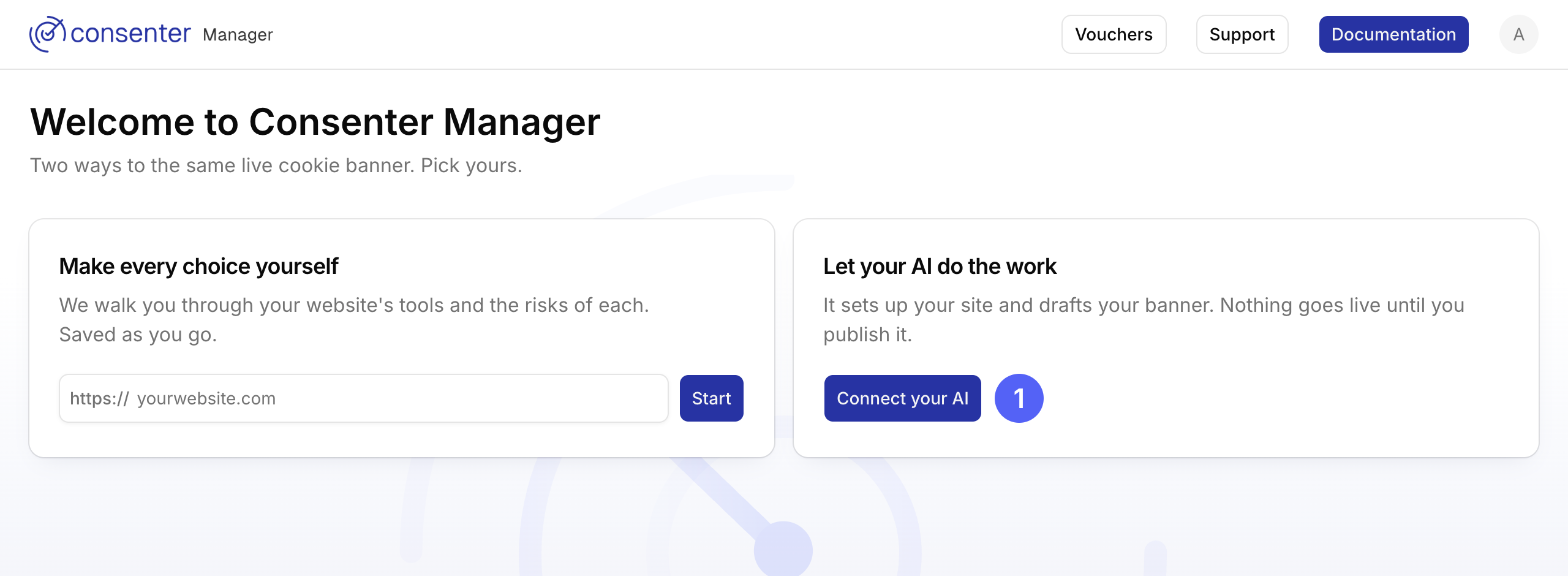
Press Connect your AI.
Then choose Create an access key instead.
Add it to your AI
Your AI's own guide has the current steps. You'll need this address: https://manager.consenter.eu/api/mcp
Your key goes in your AI's connection settings as an Authorization header, never in a chat message.
Skills
Ready-made instructions your AI can follow. Install one, or send your AI its link.
If something goes wrong
Shape Consenter Together
Consenter is built on an open and participatory process that grows through community collaboration. Whether you share feedback, improve the documentation, or contribute to the Risk Configuration Guides or Technical Integration Guides, your expertise helps make Consenter more privacy-friendly, interoperable, and useful for everyone—including your own users and services: Get finally your benefits and control the risks when sharing personal data.
Need Help?
Last updated on